

Microphone Audio THS156

Dec 03, 2025
641

How to Correctly Set the Microphone Volume of THS 156
If the microphones are at the incorrect volume or that you are experiencing "Feed Back" in THS156; you can easily correct this by adjusting the volume.
- On the Room Touch Panel press the "Audio Control Button"
- Adjust the Wired and/ or wireless microphone volume until the desired result is achieved.
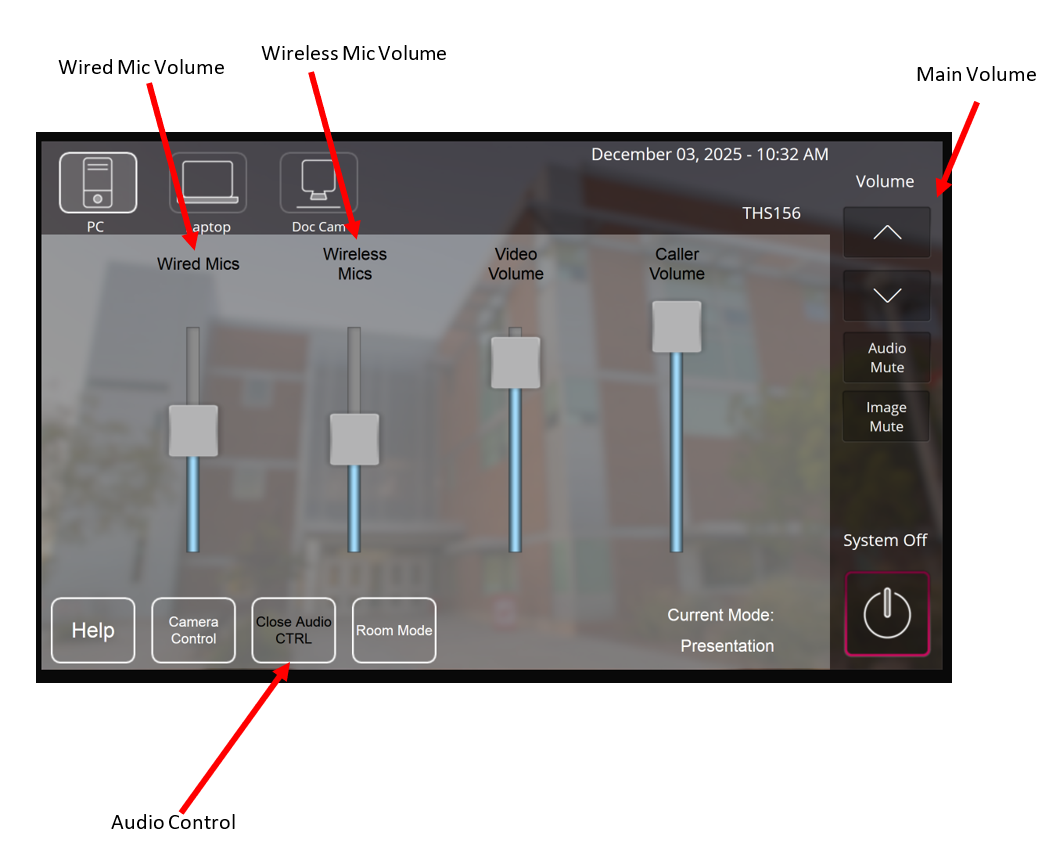
- Note: It is generally recommended to adjust the main volume up to a higher level and then reduce the volume of the Microphones to achieve the desired volume.

