


All Utah Tech employees and students have access to Qualtrics, an online survey software platform. To access Qualtrics, go to Utah Tech Qualtrics (utahtech.qualtrics.com) and sign in using your Utah Tech credentials.
Follow these steps to log in:
1. Go to the Utah Tech Qualtrics login page
Open a web browser and go to Utah Tech Qualtrics (utahtech.qualtrics.com).
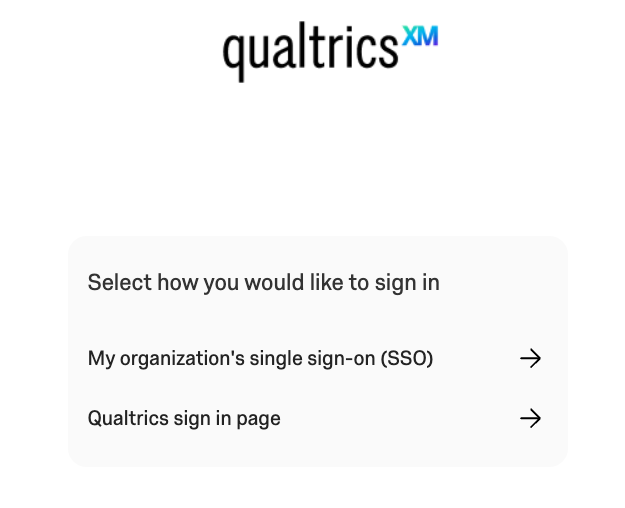
2. Choose “My organization’s single sign-on (SSO)”
On the Qualtrics sign-in page, select My organization’s single sign-on (SSO).
Do not select Qualtrics sign in page unless you have been specifically instructed to use a separate Qualtrics account.
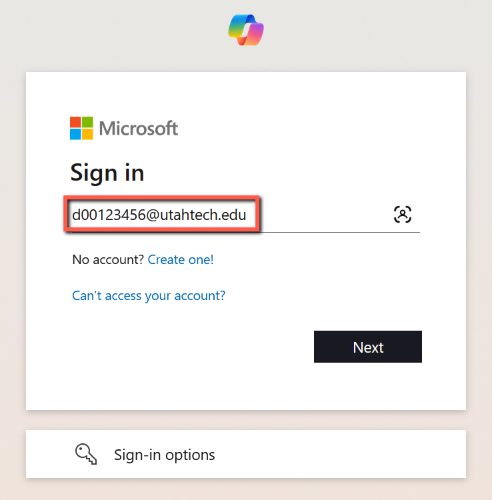
3. Enter your Utah Tech Digital ID email address
When prompted, enter your Utah Tech Digital ID email address.
Example: [email protected]
4. Enter your password and complete authentication
Enter your Utah Tech password and select Sign in.
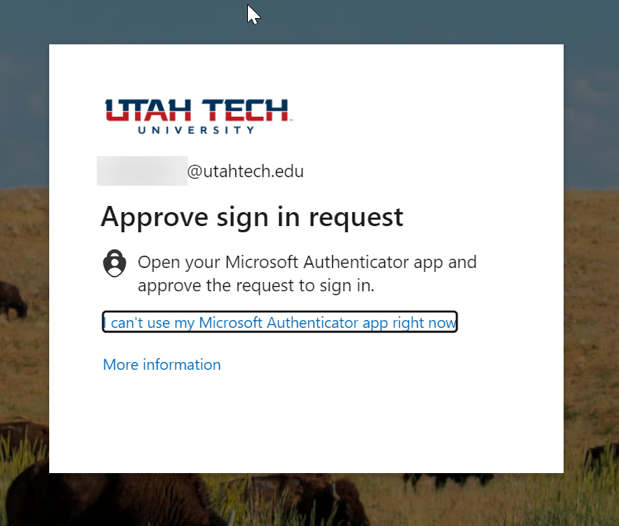
If your account requires two-factor authentication, approve the sign-in request using your usual authentication method.
5. Choose whether to stay signed in
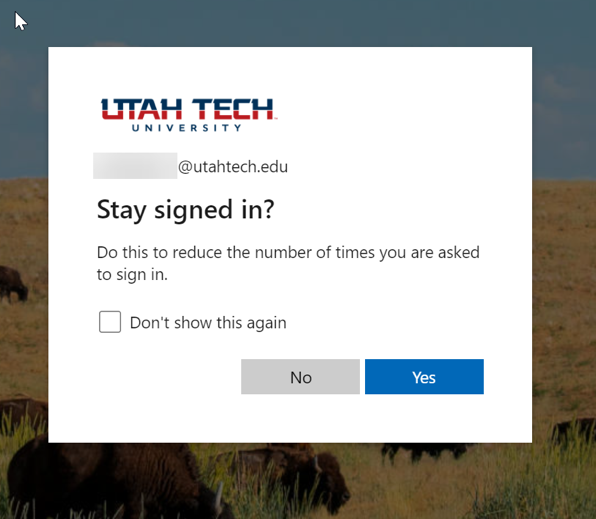
After authentication, you may be asked whether you want to stay signed in. Choose the option that works best for your situation.
6. Begin using Qualtrics
After signing in, you should be taken to your Qualtrics account and can begin creating or managing surveys.

